Apka w567 Account Khulay Rakhiye
Login karte hi hamari puri lobby khul jaata hai—live casino tables, slots aur sportsbook ek jagah. Aap ka account JazzCash, Easypaisa, SadaPay ya Raast se secured rehta hai...
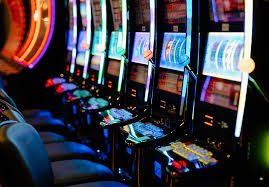
Aap ka Account Kaise Khul Jaata Hai
w567 par login sirf credentials dalnay se shuru nahi hota—aap ke account security aur payment history hamara pehla qadm hai. Aap apni email ya phone number se enter karte ho, aur hum turant aap ka session verify karte hain. Agar aapne pehle JazzCash ya Easypaisa se deposit kiya hai, woh payment method aap ke account mein save rehta hai. Login ke baad
aap apni profile mein recent withdrawals, active games aur upcoming promos dekh sakte ho. Har session secure rahta hai aur aap ka data encrypted rehta hai.
Login Ke Baad Accepted Payment Methods
Aap ka w567 account JazzCash, Easypaisa, SadaPay aur Raast se connected hota hai. Login karne ke baad aap chip row mein apni pasand ka payment method...
JazzCash
Easypaisa
SadaPay
Raast
Aap Ka Account Kiyon Mehfooz Hai
Encrypted Login
Har login session SSL encryption se protected hota hai. Aap ke credentials server par plain text mein kabhi nahi jayate aur database encryption active rehta hai.
Two-Factor Option
Aap apne account settings mein OTP verification on kar sakte ho. Login ke waqt aap ko phone par code milega aur sirf woh code se entry milegi.
Payment Method Verification
Jab aap JazzCash ya Easypaisa se login karte ho, woh method automatically verify hota hai. First withdrawal ke liye extra document check hoti hai.
Session Timeout Protection
Agar aap 30 min tak kuch nahi karte, session automatically logout ho jaata hai. Yeh measure public devices par aap ke account ko safe rakhta hai.
Login Activity Log
Aap apne account ke settings mein har login ka timestamp aur device type dekh sakte ho. Agar koi unauthorized login dekho to turant report kar sakte ho.
IP Whitelisting
Aap apne trusted devices ko save kar sakte ho. Future logins usi device se zyada secure rahengi aur suspicious login alert milega.
Desktop Se Mobile—Same Experience
| Unified Account | Aap desktop par login karo ya app mein, aap ka account balance, game history aur payment methods bilkul same rehte hain. Koi duplicate nahi. |
|---|---|
| Cross-Device Sync | Ek device se logout karo aur dusre se login karo—aap ka session turant update hota hai aur unfinished games wahi se continue ho sakte hain. |
| Same Payment Rails | JazzCash, Easypaisa, SadaPay aur Raast—sabhi methods desktop aur mobile dono mein available rahte hain. Kisi method ka clearing time nahi badalta. |
| Notification Sync | Agar mobile app par notification aaye to desktop par bhi same message dekh sakte ho. Aap ko missed updates nahi hote. |
| Security Settings Mirror | Ek device par two-factor on karo to sab devices par active ho jaata hai. Password change ya OTP reset sab jagah turant reflect hota hai. |
| Same Support Access | Live chat, email aur phone support har device se accessible hai. Aap ka conversation history sab channels mein visible rehta hai. |
| Loyalty Tracking | Desktop par earned rewards mobile par bhi dikhte hain. Promotions aur withdrawal status har platform par real-time update hote hain. |